


J1939 – license for Horner PLC HMI controllers XL4, XLW, XL6 Prime

Permanent license for the activation of open communication protocol J1939 on the Horner PLC HMI panels XL4, XLW, XL6 Prime Más
Código del producto: HE-VFJ1-01
Permanent license for the activation of open communication protocol J1939 on the Horner PLC HMI panels XL4, XLW, XL6 Prime Más
Código del producto: HE-VFJ1-01
J1939 is an open communications protocol developed by the international Society of Automotive Engineers (SAE) for trucks and mobile technology. The J1939 works on the physical layer with CAN-high speed according to ISO11898. SAE J1939 defines five layers in the 7-layer OSI network model, and this includes the CAN 2.0b specification.
All J1939 packets contain eight bytes of data and a standard header which contains an index called PGN (Parameter Group Number), which is embedded in the message’s 29-bit identifier. A PGN is unique numeric identifier that is associated with a specific parameter name. A PGN identifies a message’s function and associated data i.e a PGN defines the parameter value; a device is requesting or the parameter value that a device is sending.
License Information:
- Designed for Horner PLC HMI controllers XL4, XLW, XL6 Prime (with a single CAN port).
- The permanent license is tied to a specific device.
- License activation is performed using the Cscape development environment.
- J1939 is a standard feature on Canvas devices (no license purchase required).

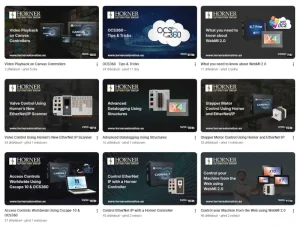
VÍDEO: Consejos y trucos para configurar PLC HORNER con pantalla, entradas y salidas
Los PLC HORNER combinan el control de la máquina, la pantalla de operación y las entradas/salidas en un solo dispositivo. Si necesita una solución compacta para una máquina más pequeña, una parte de una línea, un puesto de prueba o la modernización de una tecnología antigua, no tiene que buscar y combinar por separado un PLC, un panel HMI y módulos de E/S.
Los vídeos formativos del fabricante muestran cómo conectar el panel, trabajar en Cscape, configurar la comunicación, utilizar WebMI y realizar el trabajo básico con entradas y salidas. Son especialmente útiles durante la primera puesta en marcha, para que no tenga que descubrirlo todo por el método de prueba y error.
Highlighted items are mandatory.

Cscape 10 – application development software for Horner PLC HMI controllers
Accesorios1