


auto.spy - software for diagnostics of SIMATIC S7-300/-400/-1200/-1500 and S5 PLCs, OPC UA/DA data and camera recordings

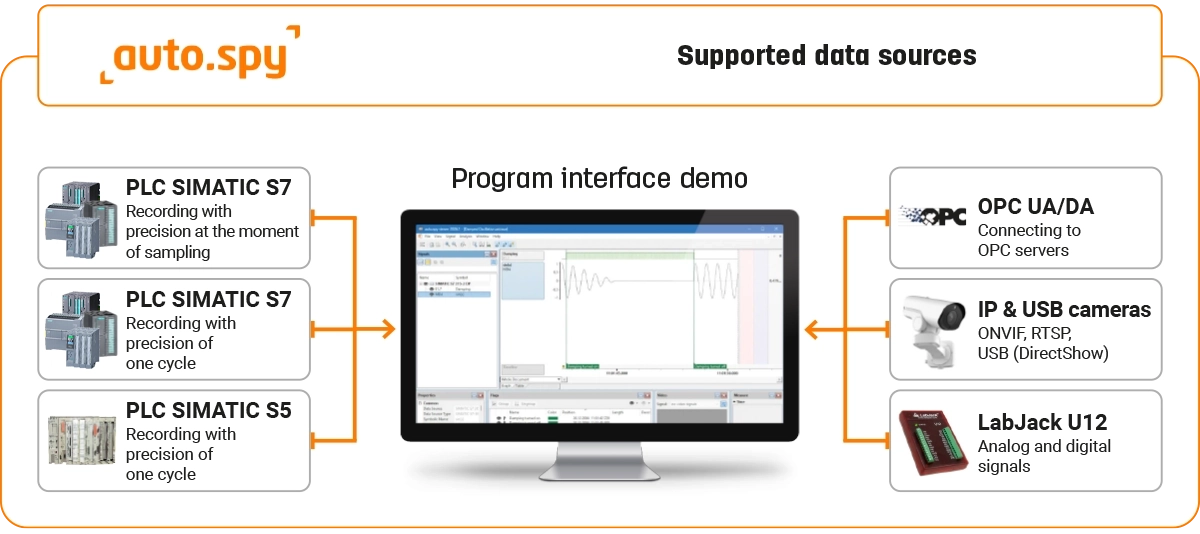
auto.spy is software for recording, displaying and evaluating data from machines and control systems. It helps with troubleshooting, process optimization, commissioning and documentation of machine behavior. Depending on the selected driver, it can record data from Siemens SIMATIC S5 and S7-300/-400/-1200/-1500 PLCs, OPC UA/DA servers, IP and USB cameras and LabJack measuring devices. More
Code: auto.spy
auto.spy is software for recording, displaying and evaluating data from machines and control systems. It helps with troubleshooting, process optimization, commissioning and documentation of machine behavior. Depending on the selected driver, it can record data from Siemens SIMATIC S5 and S7-300/-400/-1200/-1500 PLCs, OPC UA/DA servers, IP and USB cameras and LabJack measuring devices. More
Code: auto.spy
Options 7
| License type | Code | Verfügbarkeit | Price Exkl. MwSt. | |
|---|---|---|---|---|
| auto.spy analyzer – basic module | AS-ANA-5 | Delivery in 1-2 weeks |
1 290 EUR
|
|
| auto.spy driver SIMATIC S7 polling-precise | ASD-S7PP-5 | Delivery in 1-2 weeks |
590 EUR
|
|
| auto.spy driver SIMATIC S7 cycle-precise | ASD-S7CP-5 | Delivery in 1-2 weeks |
590 EUR
|
|
| auto.spy driver SIMATIC S5 cycle-precise | ASD-S5CP-5 | Delivery in 1-2 weeks |
590 EUR
|
|
| auto.spy driver OPC UA/DA | ASD-OPC-5 | Delivery in 1-2 weeks |
590 EUR
|
|
| auto.spy driver for IP and USB cameras | ASD-VID-5 | Delivery in 1-2 weeks |
590 EUR
|
|
| auto.spy driver LabJack | ASD-LABJ-5 | Delivery in 1-2 weeks |
790 EUR
|
auto.spy – diagnostics of machines, PLC programs and processes
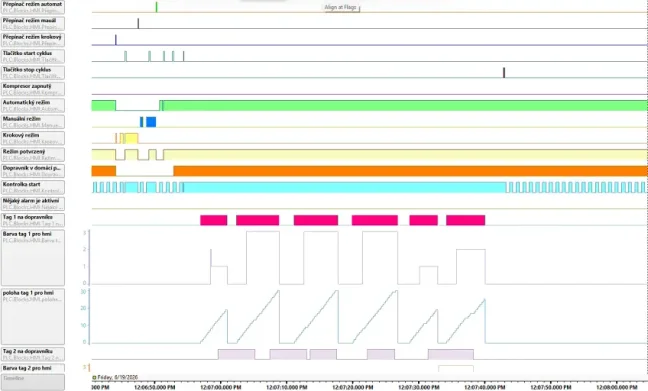
auto.spy is software for recording, visualizing and analyzing signal data in industrial automation. It helps technicians capture the course of values, states, events and camera images so they can find the cause of a fault faster, verify machine behavior or document the actual course of a problem.
For recording data from SIMATIC S7 PLCs, two drivers are available with different recording timing methods. The polling-precise driver is suitable for standard monitoring of states, trends and slower process values, because it reads data from the PLC at regular intervals without modifying the control program. The cycle-precise PLC driver records selected values synchronously with the PLC cycle and is used for detailed analysis of fast processes or events that are difficult to capture.
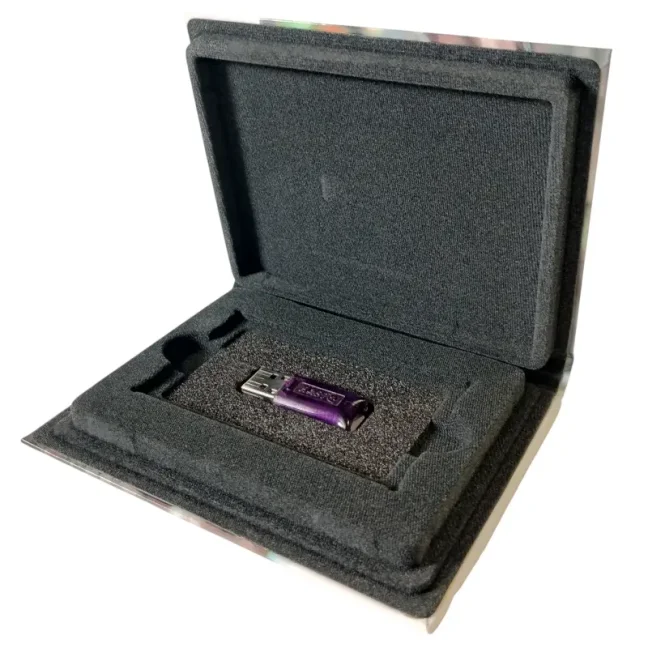
Notice: To activate the auto.spy hardware license, the USB key driver must also be installed: Sentinel LDK Windows GUI Runtime, available on the USB key manufacturer’s website.
Why choose auto.spy?
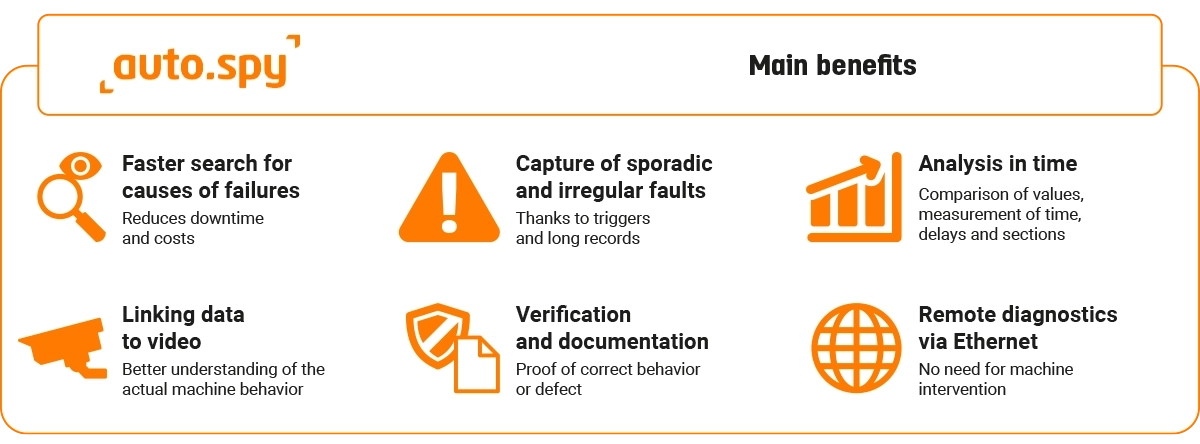
- Speeds up troubleshooting, reduces downtime and helps capture even irregular faults
- Helps confirm or rule out a suspected cause of a problem
- Allows multiple values to be compared over time and helps identify inconsistencies between signals
- Displays PLC values, signal states and camera images in one overview, making it possible to evaluate machine behavior more accurately
- Shows the sequence of machine steps, unnecessary delays and parts of the process that extend the production cycle
- Creates a clear record of value trends that can be used as proof of correct behavior or as documentation of a fault
- If the data source is available via a network interface and network access is properly arranged, part of the diagnostics can also be performed remotely
How to choose the right combination of auto.spy licenses
Not sure which auto.spy driver to choose? The table below gives you a quick recommendation based on a typical diagnostic situation. A detailed explanation of the individual combinations is available in the article How to choose the right combination of auto.spy licenses.
| Typical situation during machine diagnostics | Recommended combination of auto.spy licenses |
|---|---|
| Continuous long-term monitoring of equipment with Siemens S7 | analyzer + S7 polling-precise driver |
| Short or irregular event in a Siemens S7 PLC where standard monitoring is not enough | analyzer + S7 cycle-precise driver |
| Universal diagnostics of equipment with Siemens S7 | analyzer + both S7 drivers |
| Diagnostics of older equipment with Siemens SIMATIC S5 | analyzer + S5 driver |
| Diagnostics of equipment whose values are available via an OPC server | analyzer + OPC UA/DA driver |
| Data recording supplemented with camera footage | analyzer + data driver + driver for IP and USB cameras |
| Independent measurement of a signal outside the PLC/OPC server | analyzer + LabJack driver incl. HW |
| Service diagnostics of modern machines | analyzer + both S7 drivers + OPC UA/DA + driver for IP and USB cameras |
| Diagnostics of modern and older machines and measurement of signals outside the PLC/OPC server | analyzer + both S7 drivers + S5 + OPC UA/DA + driver for IP and USB cameras + LabJack driver incl. HW |
| Verification of equipment behavior during commissioning | analyzer + driver according to the data source + optionally driver for IP and USB cameras |
| Optimization of the production cycle and identification of delays | analyzer + driver according to the data source + optionally driver for IP and USB cameras |
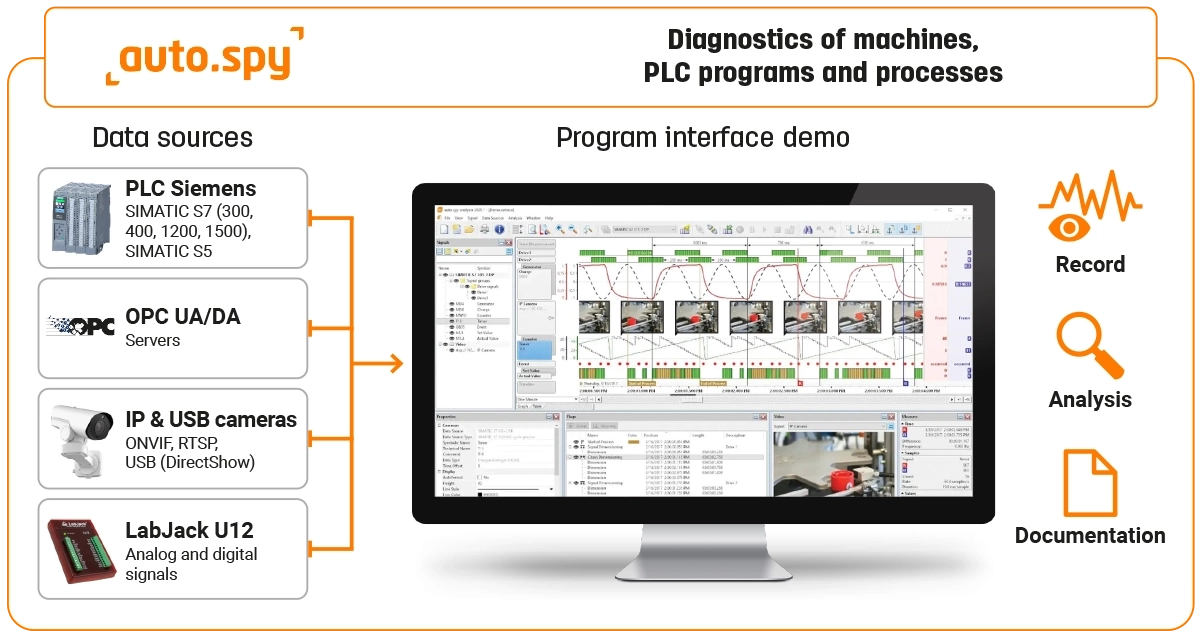
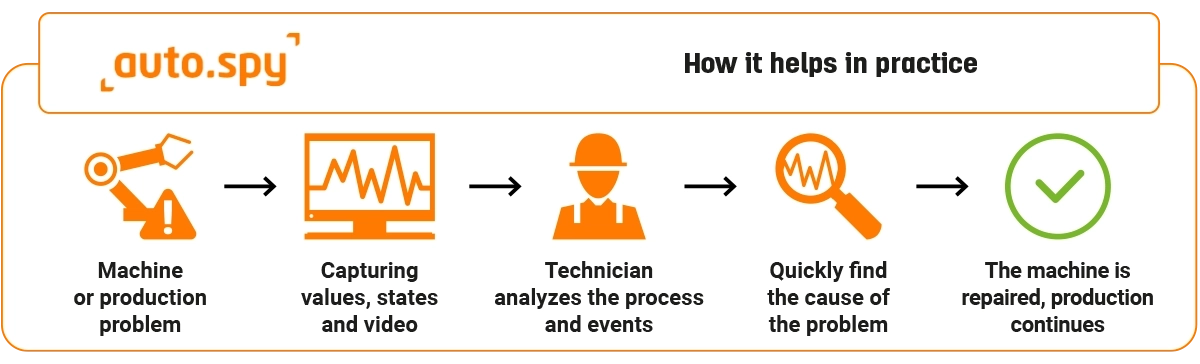
How auto.spy works
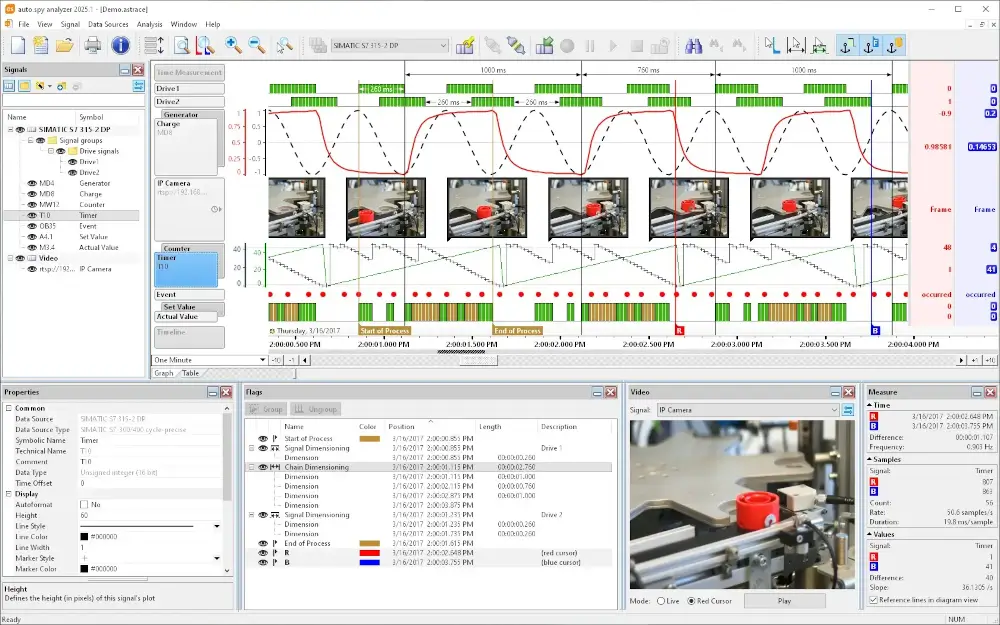
The basis of the system is auto.spy analyzer, which displays existing records, enables their analysis and also controls the creation of new records. To record new signals, a suitable auto.spy driver must be added according to the source from which you want to acquire data.
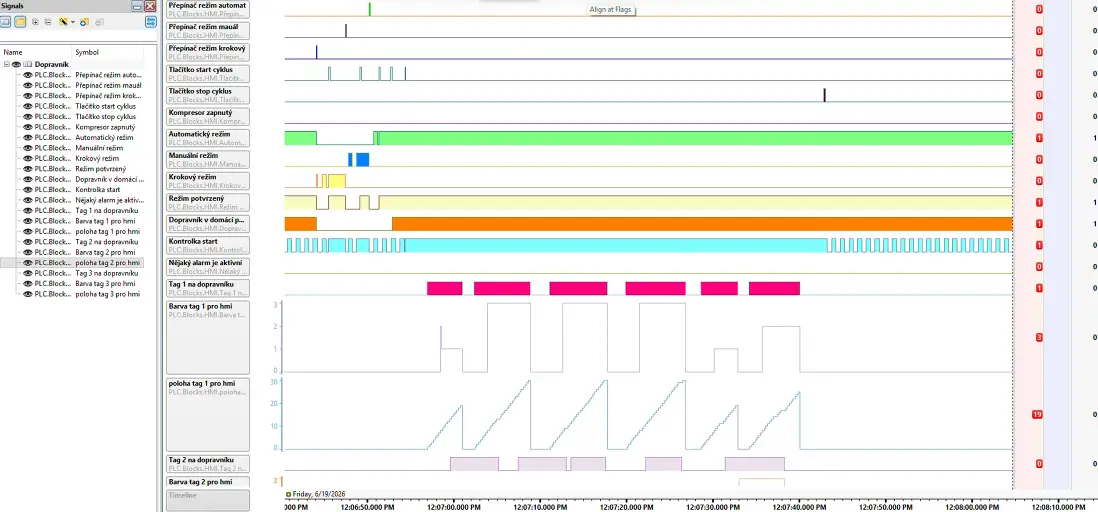
In practice, the technician selects a signal source, such as a Siemens PLC, OPC server, camera or LabJack measurement box. They then set the monitored variables, recording method and, if needed, trigger conditions. The result is a record in which it is possible to review value trends, compare signals, measure time intervals and search for specific states or changes.
For sporadic faults, it is important that recording does not have to be used only for short manual measurements. With selected drivers, triggers can be used to define the conditions under which recording starts or stops. This means the technician does not have to rely on being at the machine at the exact moment when the fault occurs.
If camera images are available, video can also be part of the document. This is especially useful where PLC values alone are not sufficient to understand the problem. Typical examples include checking mechanical movement, product position, operator actions or the sequence of several machine steps.
During machine commissioning and process optimization, auto.spy can be used to verify whether machines are working as expected. In the record, it is possible to measure the duration of production steps, compare the actual course with a reference and more quickly identify points where delays, incorrect sequencing or unstable behavior occur.
Main parts of the auto.spy system
auto.spy analyzer – basic module
auto.spy analyzer is the main part of the auto.spy system. Without it, new records cannot be created and stored records cannot be fully analyzed. It is used to display measured values, control recording using connected drivers and work with the resulting documents.
Main features of the analyzer:
- Coordination of recording from multiple data sources simultaneously into one document
- Display of values in a graph or table, including during ongoing recording
- Display of camera images as individual frames or video playback when using the video driver
- Overlay of multiple signals in a graph for fast visual comparison
- Markers and event descriptions directly in the record
- Cursors for measuring times, section lengths and amplitudes
- Search for states, edges and limit values
- Hierarchical navigation in long records with large data volumes
- Option to remove unnecessary parts of the document and reduce the amount of stored data
- Analytical scripts in VBScript for custom evaluation
- CSV import and export for further data processing
- Printing of signal records for service reports and documentation
- User interface in English and German
Selecting the auto.spy installation version:
- 64-bit version of auto.spy – recommended for standard use.
- 32-bit version of auto.spy – intended mainly for the following cases:
- recording data from SIMATIC S5,
- communication with SIMATIC S7 via the Siemens PG/PC interface,
- use with an older operating system, such as Windows XP.
Records created in auto.spy are interchangeable between the 64-bit and 32-bit versions.
auto.spy viewer – free record viewer
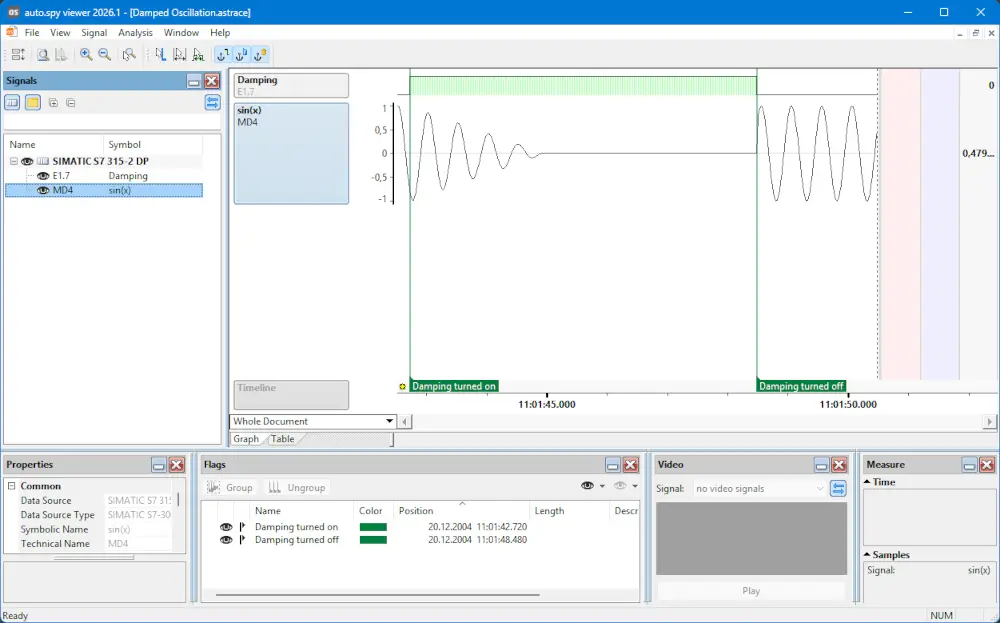
auto.spy viewer is free portable software for viewing, marking and measuring in auto.spy documents. Thanks to the viewer, saved records can be shared with colleagues, customers or service partners without an auto.spy analyzer license, while the full license remains available for creating new records at the machine.
Main features of the viewer:
- Viewing signal records without restrictions on record length or number of signals
- Setting signal properties, such as name, color or scale
- Arranging signals above each other in a graph for easier comparison
- Measuring time intervals and amplitudes using cursors
- Marking and describing important events directly in the record
- Portable use without installation and without administrator rights
- Option to freely provide the viewer to other users without registration
The viewer is not used to create new records. Compared with auto.spy analyzer, it cannot import, export or print signal data, delete unnecessary data from existing documents, search for events using the search function or run script analysis.
auto.spy drivers – process recording
auto.spy drivers are used to create new records from specific data sources. The driver is selected according to where you need to read data from or what course you want to monitor during diagnostics – for example from a PLC, OPC server, camera or external measuring device.
The drivers are used together with the basic auto.spy analyzer module, which controls the recording, displays it and then enables its analysis.
Siemens SIMATIC S7-300/-400/-1200/-1500 – polling-precise recording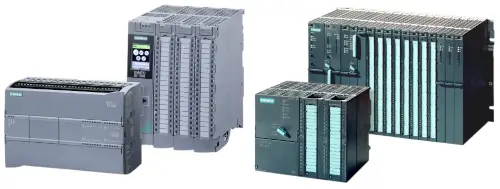
This driver enables values from Siemens SIMATIC S7-300 / S7-400 / S7-1200 / S7-1500 PLCs to be recorded at a defined sampling interval. Data can be read via serial interface, MPI, PROFIBUS or Industrial Ethernet.
When communicating with SIMATIC S7 via the Siemens PG/PC interface, the 32-bit version of auto.spy must be used.
Because this recording method does not interfere with the PLC control program, it is suitable for monitoring states, trends, slower process values and diagnostics without modifying the program. The sampling interval can be adapted to the speed of the monitored process, so slower changes do not create unnecessarily large amounts of data.
Main features of the driver:
- Recording from up to 16 PLCs simultaneously
- Periodic reading of up to 512 selected signals from one PLC
- Option to read up to 8192 signals from one PLC using multiple parallel recordings
- Signal selection by manual address entry or by importing symbols from STEP 7 projects and symbol files
- Option to enable and disable selected signals even during ongoing recording
- Use during operation without stopping the system and without interfering with the PLC control program
- Communication via RS232, MPI, PROFIBUS and Industrial Ethernet
- Adjustable sampling interval according to the speed of the monitored process
For SIMATIC S7-1200 / S7-1500, the driver also supports access to optimized data blocks, does not require PUT/GET communication between the PLC and PC and supports secure PG/PC and HMI communication based on TLS.
For SIMATIC S7-300 / S7-400, it can read internal and external PLC operand areas, such as inputs, outputs, flags, data blocks, timers, counters and peripheral inputs. With these PLCs, automatic start or stop of recording using triggers, including pre-trigger and post-trigger, can also be used.
Siemens SIMATIC S7-300/-400/-1200/-1500 – cycle-precise recording
This type of driver enables values from Siemens SIMATIC S7-300 / S7-400 / S7-1200 / S7-1500 PLCs to be recorded with precision down to one PLC cycle. It is suitable for diagnosing fast events, short faults and situations where it is necessary to see the exact sequence of signals in the PLC program.
Recording takes place synchronously with the PLC cycle, typically in connection with the main OB1 cycle. This makes it possible to capture even very short signal changes that might not be visible at all with standard periodic reading. This recording method is therefore especially suitable for machine commissioning, troubleshooting sporadic faults, sequence analysis and checking timing relationships in the program.
When communicating with SIMATIC S7 via the Siemens PG/PC interface, the 32-bit version of auto.spy must be used.
Common driver features:
- Recording from up to 16 PLCs simultaneously
- Recording of up to 512 selected signals from one PLC with precision down to one PLC cycle
- Selection of monitored signals from the PLC project or by manual address entry, depending on the PLC type
- Use for service, machine commissioning, PLC program tuning and analysis of non-standard machine behavior
For SIMATIC S7-1200 / S7-1500, the measurement part is loaded into the PLC using the TIA Portal Openness interface. Depending on the language of OB1, it is integrated automatically or semi-automatically. The driver supports online and offline signal selection from STEP 7 TIA Portal V17 and newer projects, access to optimized data blocks, communication without the need for PUT/GET between the PLC and PC and secure PG/PC and HMI communication based on TLS. Siemens STEP 7 TIA Portal V17 or newer, including the TIA Portal Openness interface, is required to operate this driver.
For SIMATIC S7-300 / S7-400, there is no need to manually program source code in STEP 7. The driver enables recording via serial interface, MPI, PROFIBUS or Industrial Ethernet and supports reading internal and external PLC operand areas, such as inputs, outputs, flags, data blocks, timers, counters and peripheral inputs. In addition to cyclic recording in OB1, it can also capture asynchronous time and process interrupts when required.
Additional driver features for SIMATIC S7-300 / S7-400:
- Import of symbols from STEP 7 projects and symbol files
- Option to enable and disable selected signals even during ongoing recording
- Automatic start and stop of recording using triggers based on time, signal states or edges
- Support for pre-trigger and post-trigger to capture events before and after the trigger event
- Capture of asynchronous time and process interrupts
- Offline recording with the option to disconnect the PC from the PLC and download the data only after the fault has occurred
- Prediction of PLC load during measurement and calculation of the maximum number of signals for uninterrupted recording
- No need to manually program STEP 7 source code in IL, LD or FBD languages
Siemens SIMATIC S5 – cycle-precise recording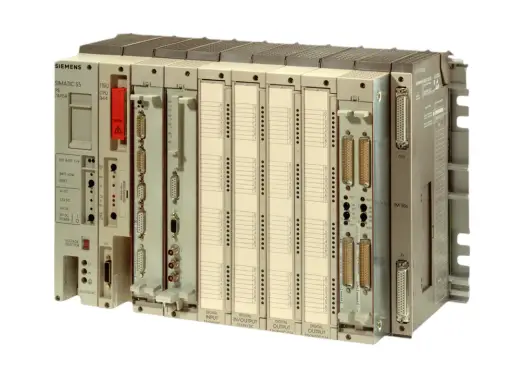
This driver enables values from Siemens SIMATIC S5 PLCs to be recorded with precision down to one PLC cycle. Data is read via the AS511 PG interface. The driver is intended mainly for service and diagnostics of older SIMATIC S5 systems where it is necessary to monitor the course of values and states in the PLC accurately.
When recording from SIMATIC S5, the 32-bit version of auto.spy must be used.
During recording, it is not necessary to manually program source code in STEP 5. Triggers based on time, signal states or edges can be used to automatically start and stop recording.
The driver also supports offline recording. The technician can start monitoring, disconnect the PC from the PLC and reconnect only after the expected event, such as a fault, has occurred. The stored data can then be downloaded and analyzed in auto.spy analyzer.
Support may vary depending on the specific SIMATIC S5 CPU type, so compatibility of older systems should be checked against the manufacturer’s documentation.
Main features of the driver:
- Recording from up to 8 PLCs simultaneously via a maximum of 8 COM ports
- Recording of up to 512 selected signals from one PLC with precision down to one PLC cycle
- Signal selection by manual address entry or by importing a STEP 5 symbol file
- Recording of internal and external PLC operand areas, such as E, A, M, S, DB, DX, T, Z, P, Q, BS, BT, BA and BB
- Automatic start and stop of recording using triggers based on time, signal states or edges
- Use during operation without stopping the system
- No need to manually program STEP 5 source code in IL, LD or FBD languages
- Communication via the AS511 PG interface
OPC UA/DA servers – recording values via standard OPC interface
This driver is used to read values from OPC servers according to the OPC UA and OPC DA specifications. In this case, auto.spy acts as an OPC client and obtains values from local or remote OPC servers in the network.
The OPC interface is a commonly used standard for data exchange in industrial automation. This makes it possible to include values from different PLCs, devices, control systems or software applications in auto.spy, provided they are available via an OPC server.
Main features of the driver:
- Support for OPC UA (Unified Architecture) and OPC DA (Data Access)
- Recording of up to 512 OPC items simultaneously with selectable sampling interval
- Option to read up to 8192 OPC items using multiple parallel recordings
- Detection of available OPC servers on the local PC and in the network
- Recording of OPC items defined on the server side as well as in auto.spy
- Authentication settings for access to the OPC server
- The sampling interval is selectable, but in practice it often also depends on the OPC server settings
- For OPC DA, correct installation of OPC components and Windows/DCOM permission settings are required
IP and USB cameras – camera recording linked to value trends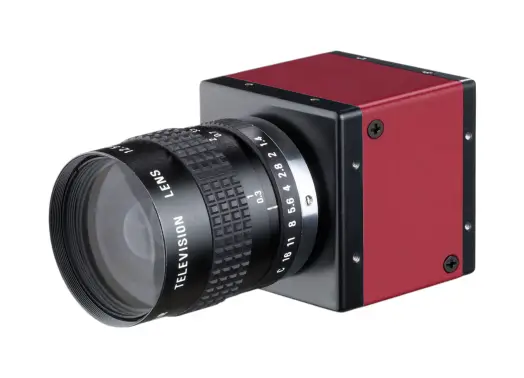
This driver allows value recording to be supplemented with images from IP cameras or USB cameras with a DirectShow driver. The camera recording is displayed in auto.spy together with the other signals and helps to better understand the actual behavior of the machine.
The video can be manually synchronized with the other signals in the record. This makes it possible to compare, for example, PLC values, signal states and the physical movement of the machine in the same time interval. This is useful when diagnosing mechanical problems, irregular movements, material jams or handling errors.
Main features of the driver:
- Video recording from IP cameras via ONVIF, RTSP, RTSPS, RTMP, HTTP, HTTPS, UDP, RTP and MMS/MMSH protocols
- Support for USB cameras and industrial cameras with a DirectShow driver
- Display of the camera recording together with other signals in auto.spy analyzer
- Option to manually synchronize video with the course of other values
- Selection of video source format and one of three recording quality levels
- Simultaneous recording from multiple cameras depending on the capabilities of the system used
- Real-time playback using the video tool in auto.spy analyzer
- Synchronization of video playback with the measurement cursor
- Video encoding using Windows Media Video 9 (WMV3)
- Storage of video data in a separate ASF file for each recording section
LabJack U12 – external measurement of analog and digital signals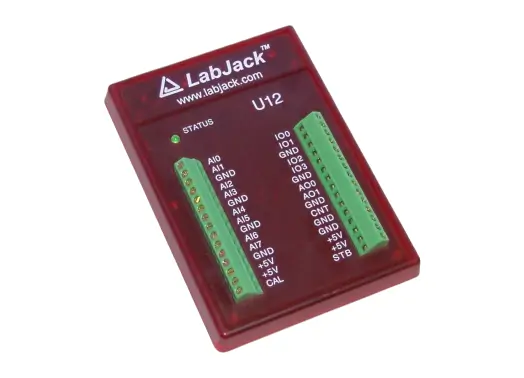
This driver is used to record analog and digital input signals that are not directly available in the PLC. It is suitable, for example, for temporarily connected sensors during fault diagnostics or for supplementing PLC values with external measurements.
The LabJack U12 measuring device is connected to the PC via USB and does not require a separate power supply. In auto.spy, the measured channels can be selected directly in the graphical configuration window by clicking the required terminals on the device.
Main features of the driver:
- Recording of analog and digital electrical signals using the LabJack U12 measuring device
- Option to measure signals that are not available in the PLC
- Connection to the PC via USB without the need for a separate power supply
- Up to 8 analog inputs with 12-bit resolution
- 4 digital inputs and a 32-bit counter
- Up to 20 digital inputs when using the CB25 expansion board
- Support for 24 V PLC levels for both digital and analog inputs
- Analog range ±10 V in single-ended mode or ±20 V in differential measurement mode
- Recording from up to 16 LabJack devices simultaneously
- Signal selection by clicking the required terminals in the graphical LabJack view
- Polling, stream and burst recording modes
- Sampling frequency up to 8192 samples per second
How is auto.spy licensed?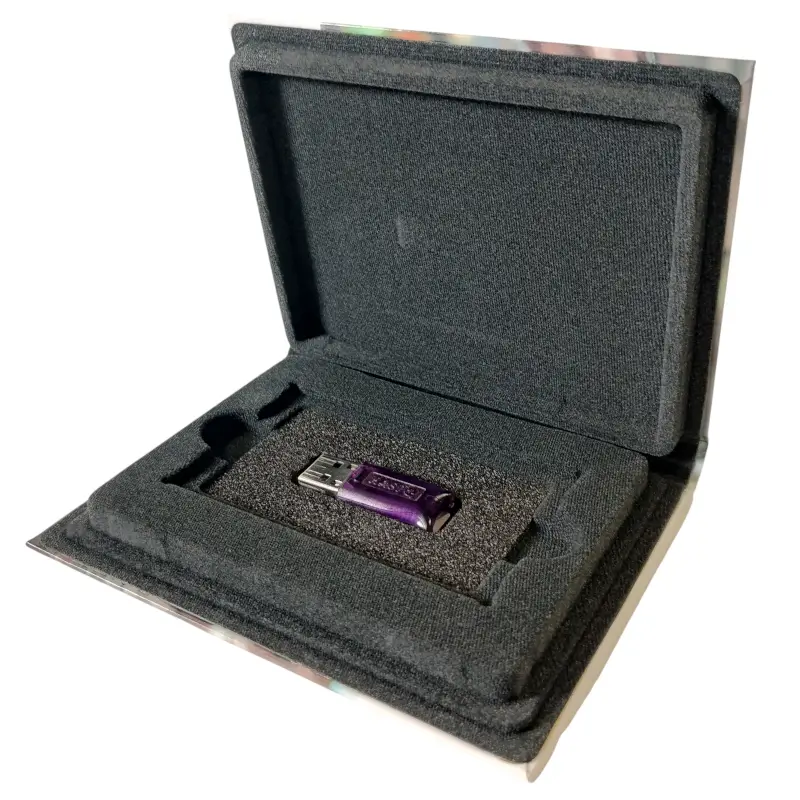
For auto.spy software, you can purchase a single-user license, a network license, or a site license. The appropriate license type depends on the number of users and the intended deployment.
Licenses are typically stored on a hardware USB key.
Single-user license
A single-user license is intended for a single workstation or for situations where each workstation requires its own set of licenses. It is particularly suitable when computers are not connected to a network or when individual users require different license configurations.
It is normally supplied on a local USB key.
To use the single-user license, the appropriate USB key driver must also be installed. The Sentinel LDK Windows GUI Runtime driver is available from the USB key manufacturer's website.
Network license
A network license allows a single set of licenses to be shared among multiple computers on a network. As a result, licenses do not need to be purchased for every workstation individually. The number of purchased licenses corresponds to the number of users working simultaneously.
Network licenses are typically supplied on a network USB key.
If you need to share licenses across multiple workstations, please contact us. We will be happy to recommend the most suitable solution.
Site license
For larger installations with approximately 10 or more workstations using the same set of licenses, a site license can be provided upon request.
A site license does not require a USB key and is arranged individually based on the scope of the project.
Important notice
Single-user licenses, network licenses, and site licenses can be combined within the same organisation.
However, it is important to determine in advance which licenses will be activated on which USB key when placing the order. Licenses cannot be transferred between USB keys free of charge at a later date.
Updates and technical support
The product was previously known as AutoSPY or AutoSPY Analyzer. Starting with version 2025.1, the manufacturer uses the new name auto.spy analyzer.
Updates and technical support are included with the auto.spy analyzer license for the current major product version.
Upgrade options for older versions are assessed individually based on the specific version and license age.
Demo mode and auto.spy viewer
If no valid license is found, auto.spy runs in demo mode.
Demo mode allows you to:
- connect a single data source,
- record a maximum of two signals,
- view only the first two signals in a recording,
- record video for up to one minute.
A free auto.spy viewer is available for viewing existing recordings (the installation file is available in the Downloads tab).
Technical specifications
General requirements of the auto.spy system
- Basic module: auto.spy analyzer is the main program used to configure recording, display measured data and analyze it. Individual drivers determine where auto.spy reads data from.
- Processor: Intel-compatible CPU 1 GHz or faster
- Memory: at least 8 GB RAM
- Free disk space: at least 1 GB for the software, additional space depending on the size of stored records
- Supported operating systems: Windows 11, Windows 10, Windows 8 / 8.1, Windows 7 Service Pack 1
- Windows Server: operation is possible, but without manufacturer support and at your own risk
- License: the full version is normally activated using a license USB key. A local license requires the USB key driver, while a network license requires the license manager. For larger installations, a site license can be issued without a USB key on request.
- Recording new data: to read data from a specific source, the corresponding auto.spy driver is required; some drivers have their own special requirements
Siemens SIMATIC S7-300/-400/-1200/-1500 – polling-precise recording
- Supported PLCs: SIMATIC S7-1200/-1500, SIMATIC S7-300/-400 and compatible PLCs, SINUMERIK 840D / ONE, S7-PLCSIM, WinAC
- Communication hardware: PROFIBUS communication cards and USB adapters, Ethernet cards, standard network cards, Ethernet/PROFIBUS converters, MPI adapters, modems and teleservice adapters
- Siemens communication hardware: when using Siemens communication hardware, the corresponding drivers must be installed and configured in the Siemens PG/PC interface
- 32-bit version of auto.spy: required when using the Siemens PG/PC interface
- Siemens STEP 7: STEP 7 does not need to be installed to operate the driver
Siemens SIMATIC S7-1200/-1500 – cycle-precise recording
- Supported PLCs: SIMATIC S7-1200/-1500
- Communication hardware: PROFIBUS communication cards and USB adapters, Ethernet cards, standard network cards, Ethernet/PROFIBUS converters
- Required software: Siemens STEP 7 TIA Portal V17 or newer, including the TIA Portal Openness interface
- Siemens communication hardware: when using Siemens communication hardware, the corresponding drivers must be installed and configured in the Siemens PG/PC interface
- 32-bit version of auto.spy: required when using the Siemens PG/PC interface
Siemens SIMATIC S7-300/-400 – cycle-precise recording
- Supported PLCs: SIMATIC S7-300/-400 and compatible PLCs, SINUMERIK 840D
- PLC requirements: at least 3 KB free RAM, 4 KB free load memory, 4 unused data blocks DB and 2 unused FC or FB blocks
- Communication hardware: PROFIBUS communication cards and USB adapters, Ethernet cards, standard network cards, Ethernet–PROFIBUS converters, MPI adapters, modems and teleservice adapters
- Siemens communication hardware: when using Siemens communication hardware, the corresponding drivers must be installed and configured in the Siemens PG/PC interface
- 32-bit version of auto.spy: required when using the Siemens PG/PC interface
- Siemens STEP 7: STEP 7 does not need to be installed to operate the driver
Siemens SIMATIC S5 – cycle-precise recording
- Tested PLCs: SIMATIC S5-95U, S5-100U with CPU 103, S5-115U with CPU 945, S5-135U with CPU 922
- Unsupported PLCs: S5-90U, S5-100U with CPU 100–102, S5-110A, S5-110SB, S5-150A/K, S5-150S/U, SIMATIC NB series (S5-010K/W, S5-101U, S5-101R, S5-105R/A/B) and SIMATIC C1 / C2 / C3 series (S5-130)
- PLC requirements: at least 3 KB free program memory, 4 unused data blocks DB and 4 unused function blocks FB
- Communication hardware: RS232-TTY adapter, for example Siemens 6ES5734-1BD20 or compatible
- auto.spy version: the driver is included only in the 32-bit version of auto.spy
- Siemens STEP 5: STEP 5 does not need to be installed to operate the driver
OPC servers
- OPC UA: no special requirements beyond the general requirements of the auto.spy system
- OPC DA: requires installed OPC Core Components and correctly configured DCOM permissions in Windows
IP and USB cameras
- IP cameras: no special requirements beyond the general requirements of the auto.spy system
- USB cameras: the camera must have its own DirectShow driver
LabJack U12
- PC connection: USB interface version 1.1 or higher
Frequently Asked Questions (FAQ) – auto.spy
What is auto.spy?
auto.spy is software for recording, visualizing and analyzing signal data from machines, PLC programs and industrial processes. It helps technicians find the cause of faults, verify machine behavior, compare signal trends over time and document the actual course of a problem.
Is AutoSPY the same product as auto.spy analyzer?
Yes. The product was previously known as AutoSPY or AutoSPY Analyzer. Since version 2025.1, the manufacturer has used the new name auto.spy analyzer. The older name AutoSPY may therefore still appear in documentation, licenses, older projects or search results.
What is auto.spy used for?
auto.spy is mainly used for machine diagnostics, troubleshooting sporadic faults, commissioning equipment, optimizing production cycles, analyzing PLC programs and documenting machine behavior during a specific event or fault.
From which sources can auto.spy record data?
Depending on the selected driver, auto.spy can record data from Siemens SIMATIC S5 and S7-300/-400/-1200/-1500 PLCs, OPC UA/DA servers, IP and USB cameras or the LabJack U12 measuring device.
What are the main parts of the auto.spy system?
The auto.spy system consists of the basic auto.spy analyzer module, the free auto.spy viewer and separate auto.spy drivers for specific data sources. The analyzer is used to configure recording, display data and perform analysis, while the drivers determine where auto.spy reads data from.
What is auto.spy analyzer?
auto.spy analyzer is the main program of the auto.spy system. It is used to create new records, display measured values, work with graphs, measure time intervals, search for events, compare signals and analyze stored records.
Which installation version of auto.spy should I use?
For standard use, we recommend the 64-bit version of auto.spy. The 32-bit version is intended mainly for recording data from SIMATIC S5, communication with SIMATIC S7 via the Siemens PG/PC interface or use with an older operating system, such as Windows XP. Records created in auto.spy are interchangeable between the 64-bit and 32-bit versions.
What is auto.spy viewer?
auto.spy viewer is a free viewer for records created in auto.spy. It allows users to view saved records, measure time intervals, mark events and share them with colleagues, customers or service partners without needing an auto.spy analyzer license.
Can auto.spy viewer create new records?
No. auto.spy viewer is intended only for viewing and basic work with already created records. New records can only be created using auto.spy analyzer and the corresponding auto.spy drivers.
What is the difference between polling-precise recording and cycle-precise recording?
Polling-precise recording reads values at a defined interval and does not interfere with the PLC control program. It is suitable for monitoring states, trends and slower process values. Cycle-precise recording is synchronized with the PLC cycle and is suitable for fast events, short faults and precise analysis of signal sequences in the PLC program.
Does auto.spy support Siemens SIMATIC S7-300/-400/-1200/-1500 PLCs?
Yes. auto.spy supports data recording from Siemens SIMATIC S7-300/-400/-1200/-1500 PLCs. Drivers are available for both polling-precise recording and cycle-precise recording for these PLCs.
Is PUT/GET communication required for recording from SIMATIC S7-1200/-1500?
For supported SIMATIC S7-1200/-1500 drivers, PUT/GET communication between the PLC and PC is not required. The drivers also support access to optimized data blocks and secure PG/PC and HMI communication based on TLS.
Is TIA Portal required for cycle-precise recording from SIMATIC S7-1200/-1500?
Yes. Siemens STEP 7 TIA Portal V17 or newer, including the TIA Portal Openness interface, is required for cycle-precise recording from SIMATIC S7-1200/-1500.
Does auto.spy support older Siemens SIMATIC S5 PLCs?
Yes. auto.spy supports recording from older Siemens SIMATIC S5 PLCs using a driver for cycle-precise recording. Communication is performed via the AS511 PG interface. Compatibility of the specific CPU should be checked against the manufacturer’s documentation.
Can auto.spy work with OPC UA and OPC DA?
Yes. auto.spy can act as an OPC client and read values from OPC UA and OPC DA servers. This allows data from different PLCs, devices, control systems or software applications to be included in the record if they are available via an OPC server.
Can auto.spy combine PLC data and camera recording?
Yes. Using the video driver, value recording can be supplemented with images from IP or USB cameras. This makes it possible to compare PLC values, signal states and the physical movement of the machine in the same time interval.
What is camera recording useful for in auto.spy?
Camera recording helps in diagnostic situations where PLC data alone is not sufficient. Typical examples include checking mechanical movement, product position, material jams, irregular movements, operator actions or the sequence of machine steps.
What is the LabJack U12 driver used for?
The LabJack U12 driver is used to record analog and digital electrical signals that are not available directly in the PLC. It is suitable, for example, for temporarily connected sensors during fault diagnostics or for supplementing PLC data with external measurements.
Can auto.spy be used during operation?
Yes, auto.spy is designed for diagnostics during operation. The specific method of use depends on the selected driver, PLC type and communication method. Some types of recording do not interfere with the PLC control program, while others use a measurement part loaded into the PLC for precise recording.
Can auto.spy capture a sporadic fault?
Yes. With selected drivers, triggers can be set for automatic start or stop of recording based on time, signal states or signal edges. Thanks to pre-trigger and post-trigger, it is also possible to capture the course of events before and after the trigger event.
What does offline recording mean in auto.spy?
Offline recording means that the technician can start monitoring, disconnect the PC from the PLC and reconnect only after the expected event, such as a fault, has occurred. The stored data can then be downloaded and analyzed in auto.spy analyzer.
Can auto.spy be used for remote diagnostics?
Yes, if the data source is available via a network interface and network access is properly arranged. In that case, part of the diagnostics can be performed remotely, for example when accessing a PLC or OPC server via a secure network connection.
How is auto.spy licensed?
The basic auto.spy analyzer software is required for every installation. Separate auto.spy drivers are added according to the data source to record new data. Licenses are available as single-user licenses, network licenses and, for larger installations, also as a site license on request.
Does auto.spy use a license USB key?
Yes. A hardware license USB key is normally used. Depending on the license type, this can be a local USB key for one workstation or a network USB key for multiple computers in a network.
Notice: To activate the auto.spy hardware license, the USB key driver must also be installed: Sentinel LDK Windows GUI Runtime, available on the USB key manufacturer’s website.
Is there a demo version of auto.spy?
Yes. If license protection is not present or not correctly installed, auto.spy runs in demo mode. In this mode, a document can contain only one data source, a maximum of two signals can be recorded from this source, video recording is limited to one minute and only the first two signals are displayed when viewing the document.
What is the difference between auto.spy and a standard SCADA system?
A SCADA system is mainly used for long-term control, monitoring and visualization of technology. auto.spy is a diagnostic tool focused on detailed recording and analysis of signal trends, faults, sequences and machine behavior at a specific point in time.
How to capture sporadic faults on Siemens S7 PLCs
Sporadic faults on Siemens SIMATIC S7 PLCs are difficult to find using standard online diagnostics. In this article, we show how auto.spy analyzer helps capture signals, events and video on a single timeline and trace the root cause of the problem afterwards.
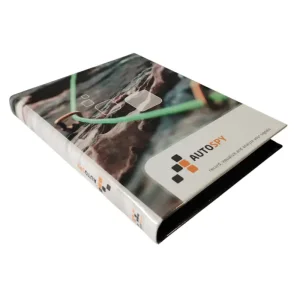
How to choose the right combination of auto.spy licences
Diagnostic software auto.spy is used to record and retrospectively analyze the behavior of a machine or technology. It is used for finding the causes of faults, long-term equipment monitoring, process optimization, commissioning, and documenting the actual course of events. The basis is always auto.spy analyzer. Separate drivers are then selected according to where you need to obtain data from – for example from a Siemens SIMATIC S7 PLC, an older SIMATIC S5 PLC, an OPC UA/DA server, an IP/USB camera, or an external LabJack U12 measuring device. The choice of licence therefore mainly depends on two questions: which data source you need to monitor and how precise the recording needs to be.
Highlighted items are mandatory.
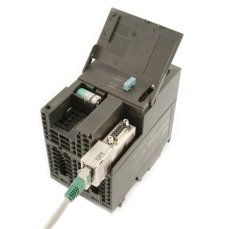
ACCON NetLink PRO Compact - Ethernet adapter for SIMATIC S7-200/ -300/-400
628,32 EUR Inkl. MwSt.
Diagnose, Reparatur und Monitoring von PROFINET-Netzwerken
ab 361,76 EUR Inkl. MwSt.
Diagnose, Reparatur und Monitoring von PROFIBUS Netzwerken
ab 361,76 EUR Inkl. MwSt.

Training PROFIBUS - Basics, Diagnostics & Network Troubleshooting, 2 days
961,52 EUR Inkl. MwSt.

Training PROFINET – Basics, Diagnostics & Network Troubleshooting, 2 days
961,52 EUR Inkl. MwSt.
Related products5
ACCON NetLink PRO Compact - Ethernet adapter for SIMATIC S7-200/ -300/-400
628,32 EUR Inkl. MwSt.
Diagnose, Reparatur und Monitoring von PROFINET-Netzwerken
ab 361,76 EUR Inkl. MwSt.
Diagnose, Reparatur und Monitoring von PROFIBUS Netzwerken
ab 361,76 EUR Inkl. MwSt.
Training PROFIBUS - Basics, Diagnostics & Network Troubleshooting, 2 days
961,52 EUR Inkl. MwSt.
Training PROFINET – Basics, Diagnostics & Network Troubleshooting, 2 days
961,52 EUR Inkl. MwSt.