


ProfiShark 100M TAP Adapter

A portable industrial network TAP adapter designed for monitoring traffic on 10/100M Ethernet networks. An invaluable tool for short-term and long-term monitoring, troubleshooting as well as traffic event logging on Ethernet, PROFINET, EtherCat and many other networks. More
Code: C1AP-100
A portable industrial network TAP adapter designed for monitoring traffic on 10/100M Ethernet networks. An invaluable tool for short-term and long-term monitoring, troubleshooting as well as traffic event logging on Ethernet, PROFINET, EtherCat and many other networks. More
Code: C1AP-100
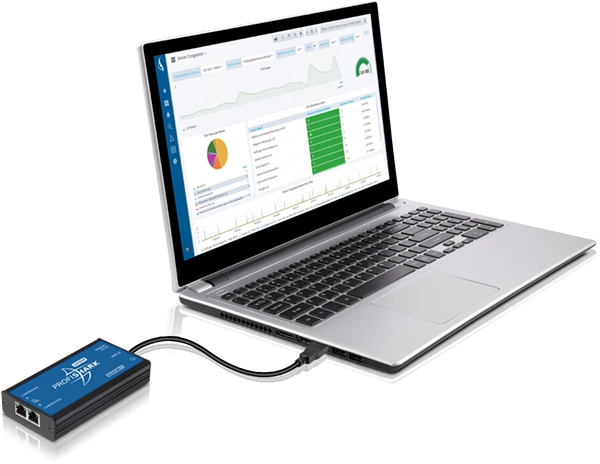
With a 100% success rate, the ProfiShark 100M captures all traffic on 10/100M Ethernet networks. While this TAP adapter features drivers that offer a whole range of filters and tools for setting the traffic capture, the rest of the settings can be can adjusted via software packet analysers, for example the Wireshark. The ProfiShark 100M connects to your computer via and is powered by USB 3.0 cable.
Why Do You Need a TAP Adapter?
To be able to perform diagnostics of communication on an Ethernet/PROFINET network, you have to connect to this network using a computer with the right software (e.g. Wireshark, PNT Tool, Colapsa CAPSA, etc.). Unless you are using the fastest type of communication, PROFINET IRT (Isochronous Real-Time), you can connect your computer to the Ethernet/PROFINET network via a mirror port on a managed switch.
For you to be able to set up a mirror port, you need a switch that supports this functionality and a free port on that switch. In the switch settings, choose the port to be monitored or mirrored (i.e. typically the port that the processor is connected to) and then the port that all incoming and outgoing messages are to be forwarded to. After that, connect your computer to this second port.
Disadvantages to Mirror Port Analysis
For basic packet analysis, measurement via port mirroring is sufficient. Nevertheless, it is not 100% accurate; the data provided is only about 80% accurate. There are several reasons for that. First, one of the factors is the manufacturer and the type of the switch. Second, a mirror port does not usually forward all messages. Third, the laptop that is connected to the port may not capture all the messages forwarded (i.e. these messages are then usually discarded, which we do not want to happen). Finally, the laptop's Ethernet card is usually unable to assign a timestamp to every packet. Having a timestamp for every packet is very important in that this enables you to measure jitter (the delay between when a signal is transmitted and when it is received) and other network parameters. To avoid the above-mentioned problems and to be able to perform reliable diagnostics of Ethernet/PROFINET networks, you should use the ProfiShark TAP adapter for message capturing.
How to Connect the ProfiShark 100M to an Ethernet Station?
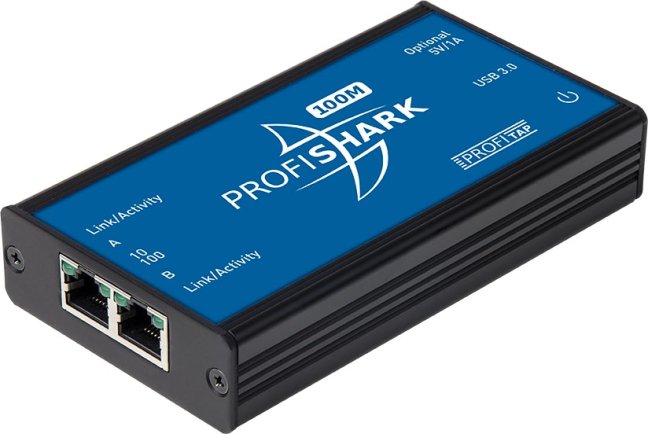
The ProfiShark 100M is a pocket-size device that features two RJ45 connectors on one side and a USB 3.0 port on the other (plus a connector for an optional external power supply of 5 V DC).
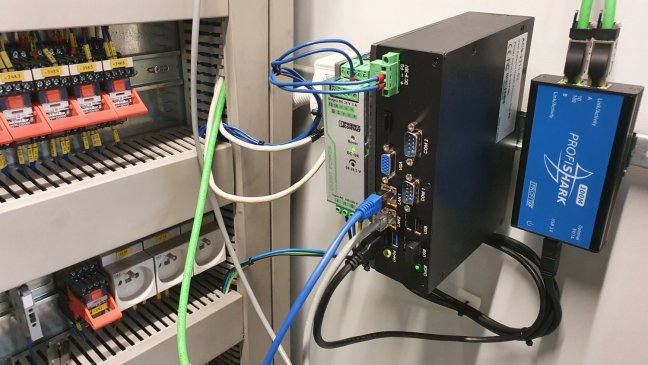
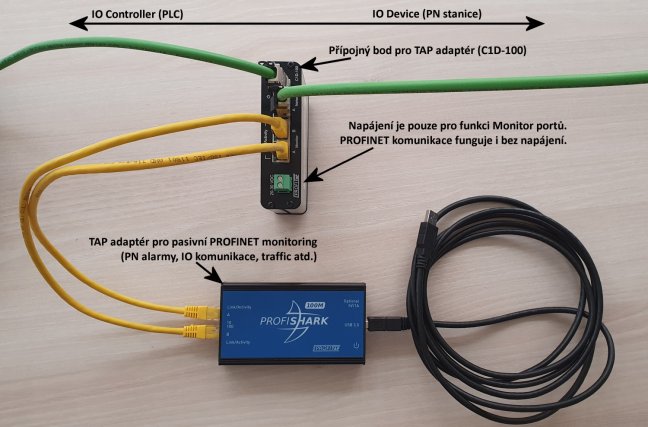
Place the ProfiShark 100M in front of the station where you want monitor traffic (e.g. a PLC's Ethernet port, a CPU's Ethernet module, a computer, a server, etc.). Disconnect the Ethernet cable from the station and connect it to one of the TAP adapter's Ethernet ports. Then, use the Ethernet cable that comes with the adapter to connect the adapter's other Ethernet port to the station. With the ProfiShark 100M now in the line of the packets that you want to analyse, all traffic passes through this TAP adapter.
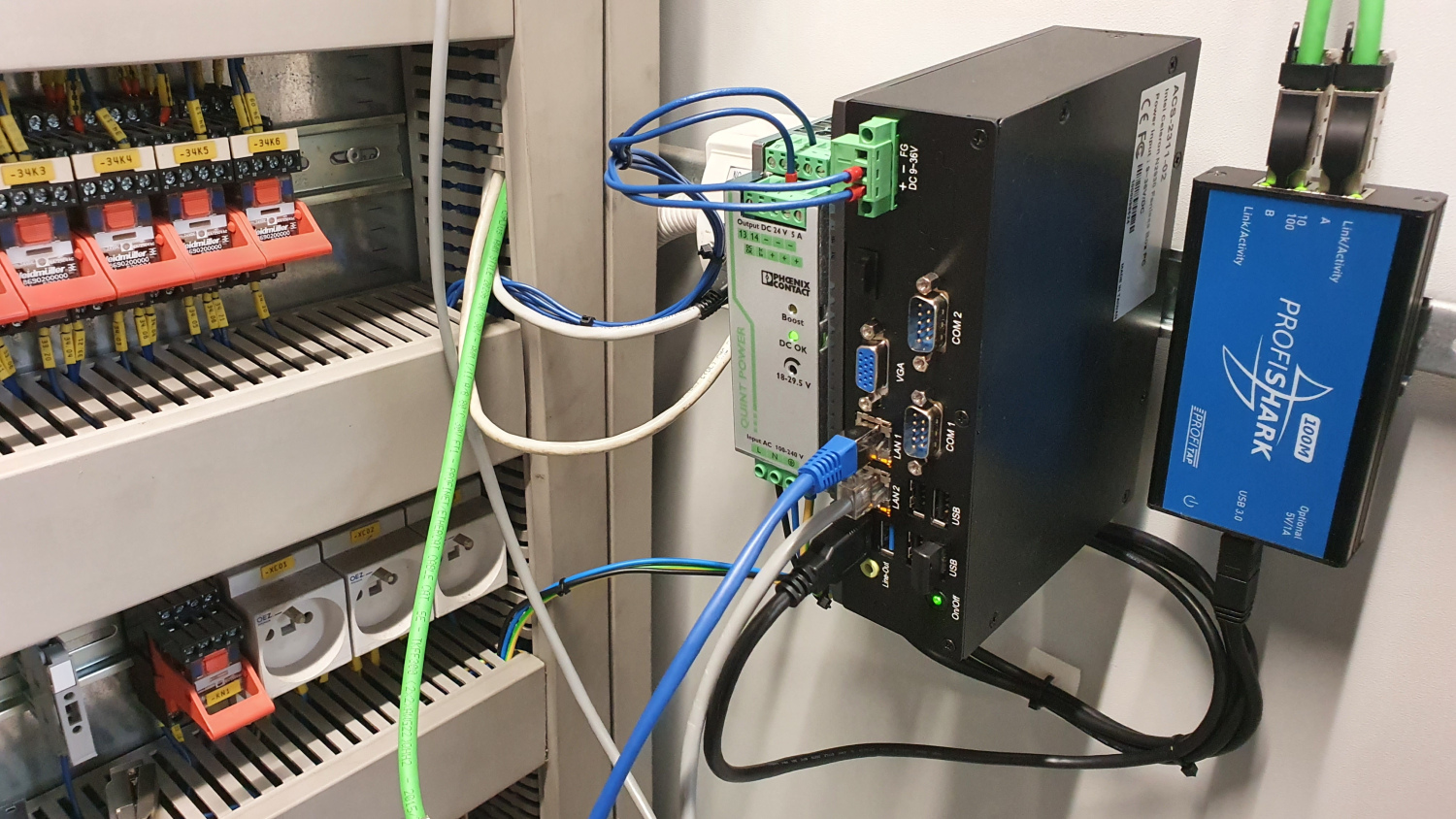
Unpowered ProfiShark 100M Does not Interfere with Network Traffic
If the ProfiShark 100M is not being supplied with power (i.e. is not connected to the computer via USB cable), Ethernet traffic is still passing through the adapter without any problems. Although the RJ45 port LEDs are not blinking, both the RJ45 ports are still interconnected, allowing traffic to pass through. That is why you can keep the unpowered ProfiShark 100M plugged into the monitored network for an unlimited time. The acts of connecting or disconnecting the USB cable or restarting the adapter will not negatively impact on the passing traffic either.

How to Connect the ProfiShark 100M to a Computer?
Install ProfiShark 100M drivers (supported operating systems include Windows, Linux and macOS). When you have connected the adapter's USB cable to the computer, a virtual network card will be created. This card represents the network traffic of the Ethernet cables connected to the ProfiShark 100M. Any program that you will use for traffic analysis, for example the Wireshark, will communicate with this card. In addition, the ProfiShark 100M protects the monitored network by not allowing the connected computer to send any messages to the network. This could threaten the operation of the network or its security or distort the traffic capture.
Features
- 10/100M monitoring on USB 3.0
- USB 3.0 powered, plus an optional external 5 V DC power supply
- Safe monitoring supporting only read operations
- Hardware aggregation
- 8 ns hardware timestamping for accurate latency testing
- Real-time statistics
- Capture of all packets for any kind of analysis
- Direct capture to disk
- ProfiShark is invisible to the network
- Supports Windows 7/8/10 (32/64-bit), Linux and macOS
- Dimensions: 69 × 124 × 24 mm
Using the ProfiShark 100M, you can connect to the network via the following software:
- Wireshark
- OmniPeek
- Packetyzer
- OptiView
- NetSpector
- NetDecoder
- Ethertest
- Colapsa Capsa
- And other software
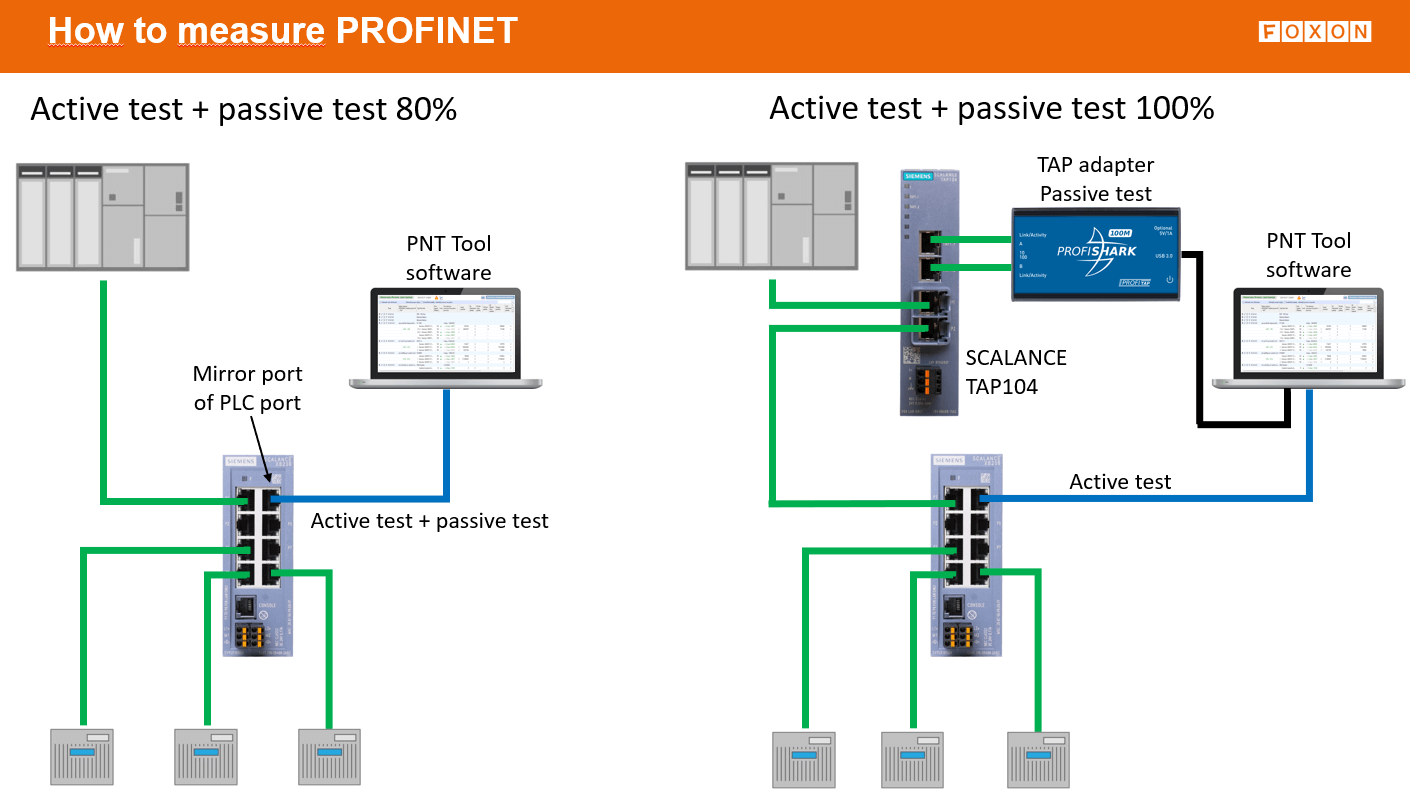
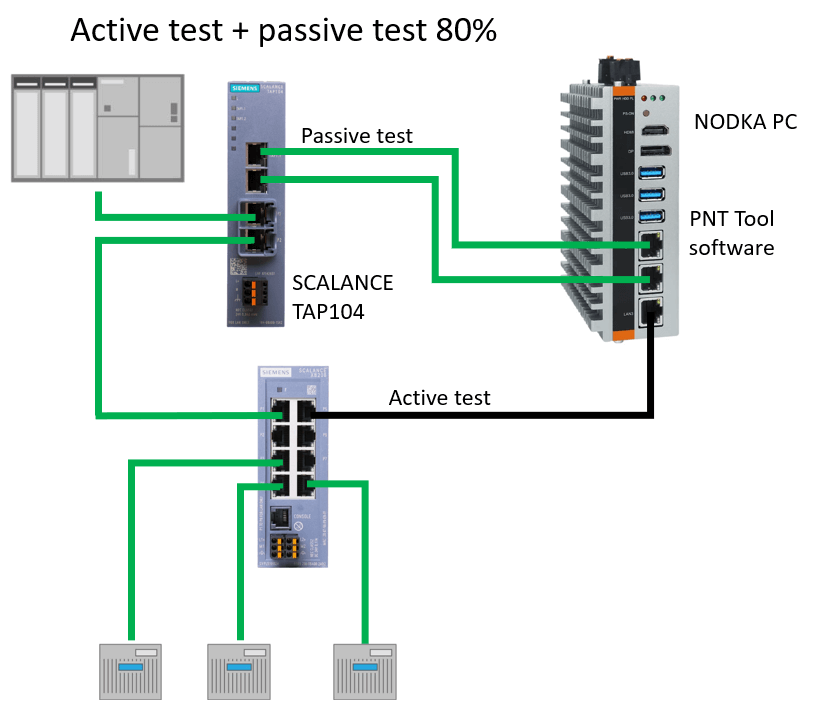
A passive test at only 80% means that you measure packet cycles and PN alarms, but you do not measure jitter. However, this may not necessarily be a problem. Jitter in PROFINET (and in networks in general) refers to variations in packet delivery time. In other words, if packets are supposed to arrive at regular intervals, jitter describes deviations from these ideal intervals.
If you have PROFINET communication failures, it is important to first perform an active test and then a passive test. With the passive test, it is necessary to measure packet cycles and capture PROFINET alarms. These two tests should be sufficient to identify the causes of the failures without necessarily measuring jitter.
- 2 x RJ45 8 pins
- 1 x USB 3.0
- 1 x 5 VDC optional input
- 1.8 m USB 3.0 cable
- RJ45 cable
- Pouch
- USB key
- 69 x 124 x 24 mm
- 2.72 x 4.88 x 0.94 in
- Dual Core Processor
- 4 GB memory
- USB 3.0 port
- Windows 7/8/10/11
- Linux
- macOS
Frequently Asked Questions (FAQ) – ProfiShark 100M TAP Adapter
What is the ProfiShark 100M TAP Adapter?
The ProfiShark 100M TAP Adapter is a portable network TAP and analyzer for monitoring Ethernet communication in 10/100 Mb/s networks. It is used for safe traffic capture for diagnostics, troubleshooting, communication analysis, and long-term packet recording.
What is the ProfiShark 100M TAP Adapter used for?
It is used wherever it is necessary to see the actual traffic in a network without interfering with communication. It is suitable for service interventions, commissioning, finding intermittent issues, network performance analysis, and long-term communication monitoring in industrial as well as standard Ethernet networks.
What networks is the ProfiShark 100M TAP Adapter suitable for?
It is suitable for Ethernet networks with speeds of 10 and 100 Mb/s. It can be used, for example, in industrial networks where it is necessary to analyze communication of protocols running over Ethernet, such as PROFINET and other Ethernet protocols.
Does the ProfiShark 100M TAP Adapter work as a standard network card?
No. The ProfiShark 100M TAP Adapter is not a standard network card for normal PC data communication. It is designed for monitoring and capturing traffic in a network. That makes it suitable for diagnostics and measurement, not for regular workstation network access.
Is communication monitoring with the ProfiShark 100M TAP Adapter safe?
Yes. The ProfiShark 100M TAP Adapter can only read communication, not write or modify it. It is designed as a non-intrusive device that does not alter the original traffic in any way, which makes it suitable even for measuring sensitive or operationally critical networks.
Does the ProfiShark 100M TAP Adapter affect network operation?
It is designed so that monitoring takes place without changing the original communication. This is especially important when troubleshooting, where it is necessary to see real traffic without distortion caused by active intervention in the network.
How is the ProfiShark 100M TAP Adapter connected to a computer?
It connects to a computer via USB 3.0. This interface is also normally used to power the device. If needed, external 5 V DC power can also be used.
What connectors does the ProfiShark 100M TAP Adapter have?
The device has two RJ45 ports for connection into the measured Ethernet link and a USB 3.0 port for connection to a computer. This makes it a compact solution for portable measurement in the field as well as in a control cabinet.
Can the ProfiShark 100M TAP Adapter timestamp packets?
Yes. The ProfiShark 100M TAP Adapter adds hardware timestamps to packets. This helps with detailed analysis of delays, jitter, frame order, and other time-sensitive phenomena in network communication.
Can the ProfiShark 100M TAP Adapter capture all traffic without loss?
The device is designed for highly faithful traffic capture, including packets of various sizes and types. In practice, it is used specifically where it is necessary to obtain the most complete possible picture of communication in the network for subsequent analysis.
Does the ProfiShark 100M TAP Adapter support saving communication for later analysis?
Yes. Captured data can be stored directly to disk and then analyzed in packet analyzers. This is useful both for immediate troubleshooting and for long-term monitoring of faults that are difficult to reproduce.
What software does the ProfiShark 100M TAP Adapter work with?
The ProfiShark 100M TAP Adapter can be used with packet analysis tools such as Wireshark, as well as with the manufacturer’s configuration and operating software for capture setup and device management.
Which operating systems can the ProfiShark 100M TAP Adapter be used on?
Supported systems include Windows, Linux, and macOS. This makes the device usable in various service and diagnostic environments.
Is the ProfiShark 100M TAP Adapter also suitable for long-term monitoring?
Yes. It is not intended only for quick field diagnostics, but also for long-term communication recording and later evaluation. This is especially useful for issues that appear only occasionally or under specific operating conditions.
Who is the ProfiShark 100M TAP Adapter suitable for?
It is suitable for service technicians, network administrators, system integrators, maintenance personnel, and industrial communication specialists who need to reliably analyze Ethernet traffic directly in operation.
What is the main advantage of the ProfiShark 100M TAP Adapter compared to monitoring via a SPAN port?
The main advantage is safe and faithful capture of real traffic directly in-line without dependence on the configuration of active network elements. This is especially helpful where precise diagnostics are required and where it is important to minimize the risk that part of the communication remains hidden.
Highlighted items are mandatory.
Scalance TAP104
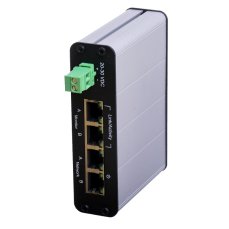
EtherMIRROR 100M
730,66 EUR Inkl. MwSt.
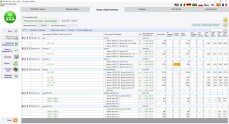
PNT PROFINET Tool software tester
1 535,10 EUR Inkl. MwSt.

Training PROFINET – Basics, Diagnostics & Network Troubleshooting, 2 days
961,52 EUR Inkl. MwSt.
Related products4
Scalance TAP104
EtherMIRROR 100M
730,66 EUR Inkl. MwSt.
PNT PROFINET Tool software tester
1 535,10 EUR Inkl. MwSt.
Training PROFINET – Basics, Diagnostics & Network Troubleshooting, 2 days
961,52 EUR Inkl. MwSt.